Codex & Claude Code 連携ガイド
AI Agent クライアント(Codex、Claude Code など)向けに、WhatsTokenAI ゲートウェイインターフェースの設定、モデルルーティングプロキシの設定、およびアカウント残高照会について説明します。
1. Claude Code 連携
1. インターフェースとモデル設定
-
Claude シリーズモデル: 標準の
/v1/messagesインターフェースを使用します。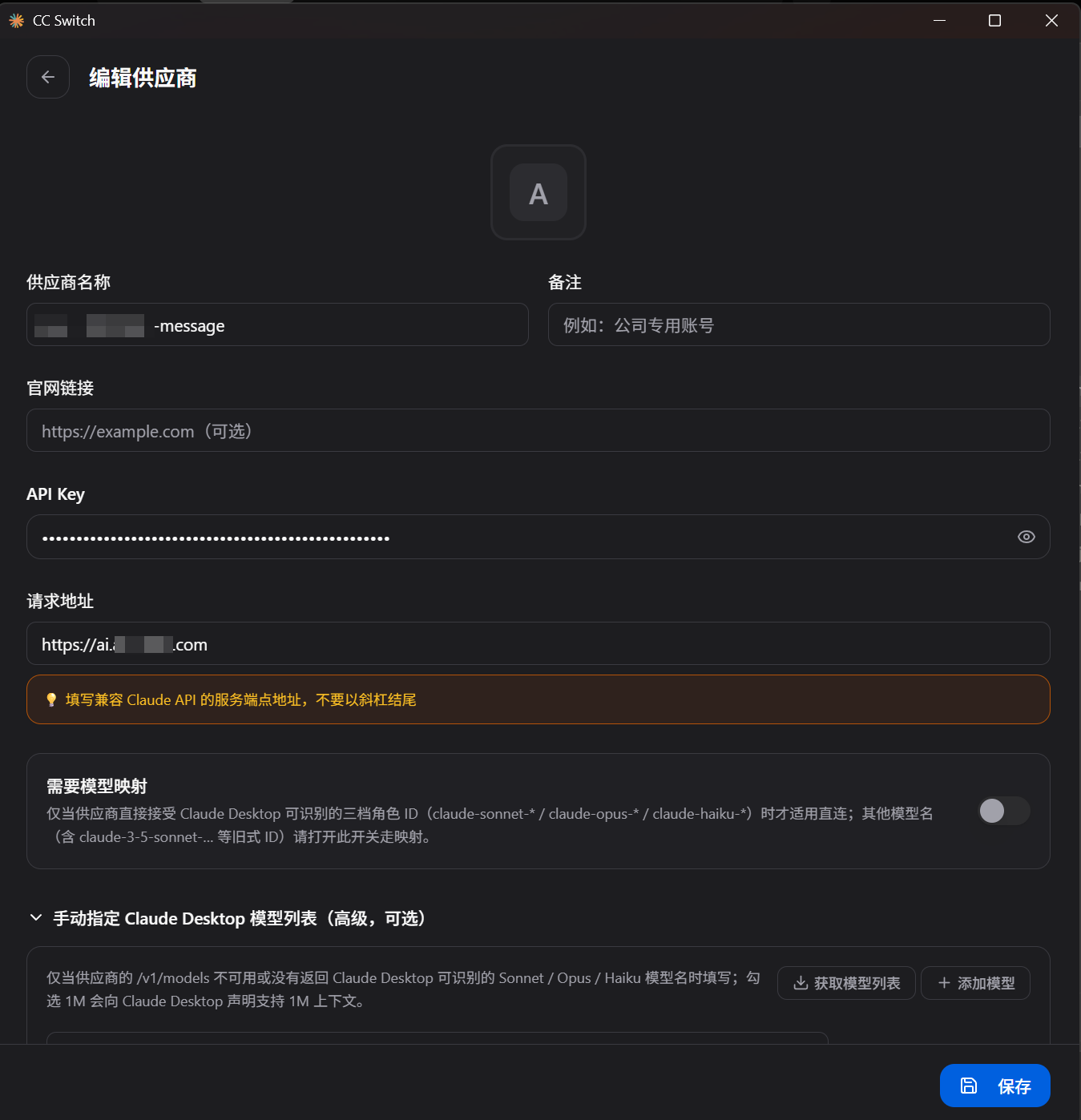
-
高度なモデル(GPT-5.6 / Grok-4.5 など):
/v1/responsesインターフェースを推奨します。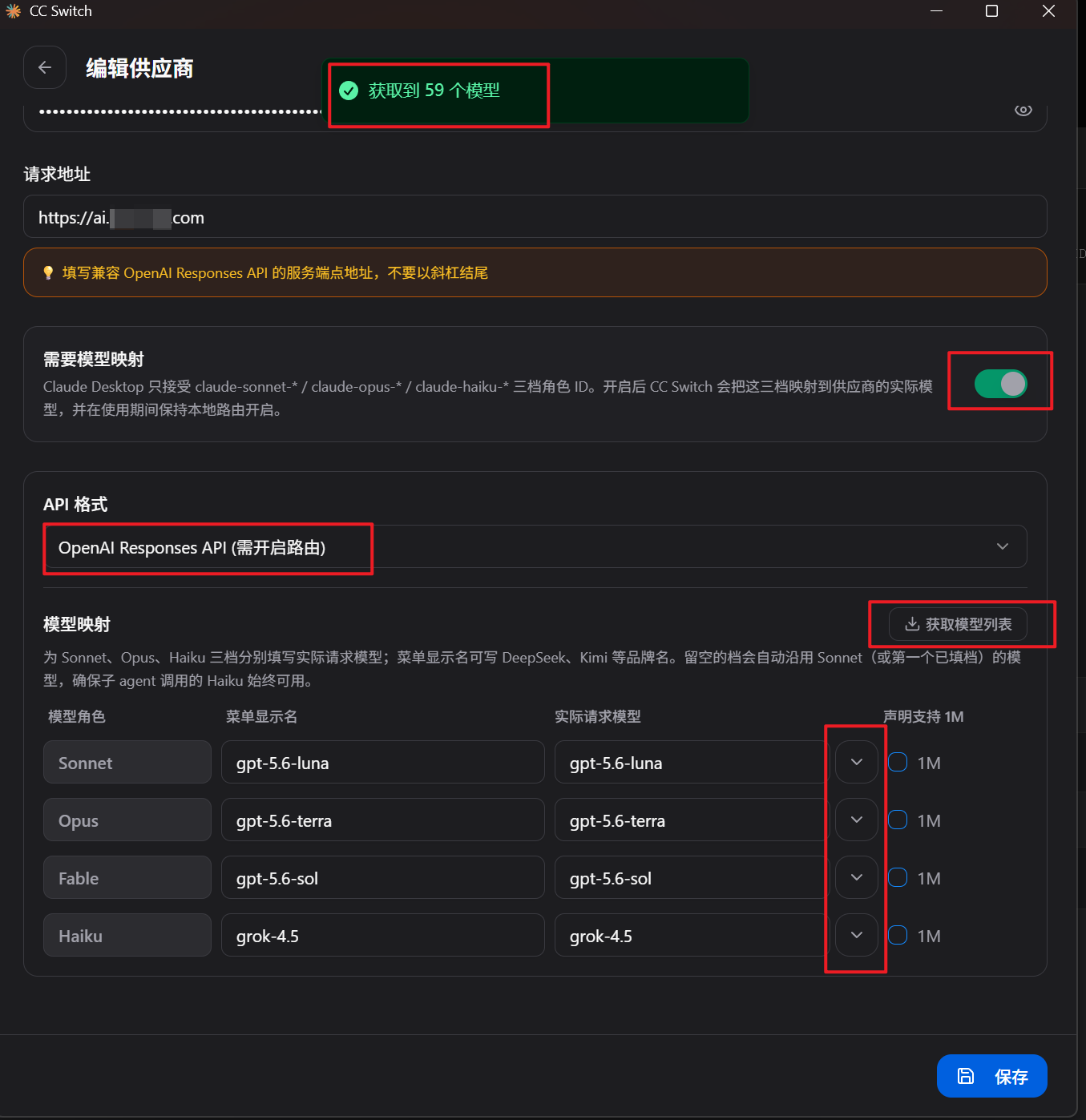
[!TIP] 設定で「モデルリストを取得」をクリックすると、選択可能なモデルドロップダウンが表示されます。
2. プロキシとルーティング設定
-
モデルチャンネル追加後、必ずプロキシを有効化してください。
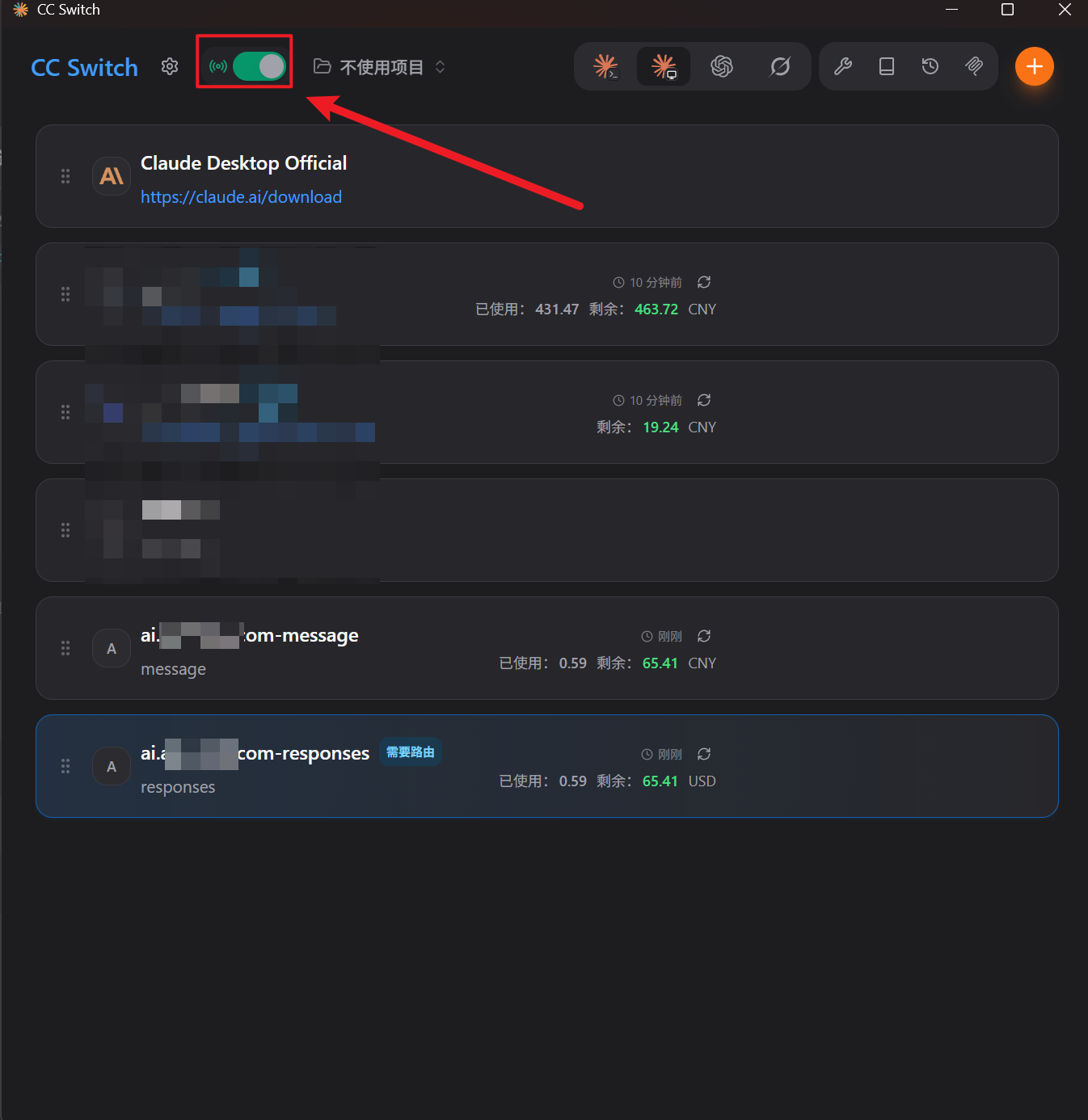
-
また、スマートルーティングが有効になっているか確認してください。
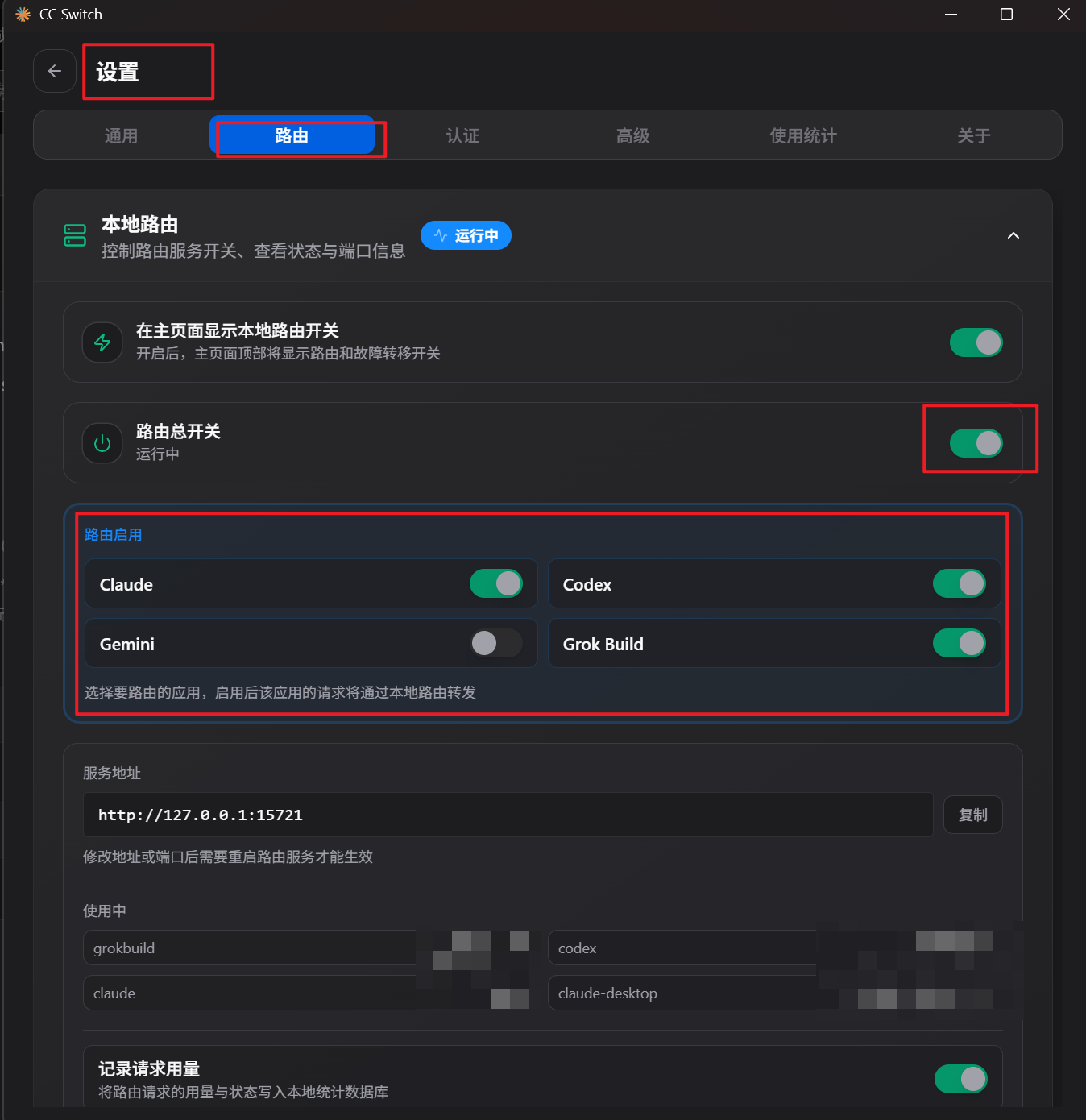
3. 残高照会設定
({
  request: {
    url: "https://www.whatstoken.ai/v1/user/balance",
    method: "GET",
    headers: {
      "Authorization": "Bearer {{apiKey}}"
    }
  },
  extractor: function (response) {
    if (response.success) {
      return {
        planName: "ユーザーアカウント残高",
        remaining: response.remain_balance,
        used: response.used_balance,
        total: (response.remain_balance + response.used_balance),
        unit: "CNY"
      };
    }
    return {
      isValid: false,
      invalidMessage: response.message || "照会失敗"
    };
  }
})
2. Codex 連携
1. インターフェースとモデル設定
-
次世代モデル(GPT-5.6 / Grok-4.5):
/v1/responsesを推奨します。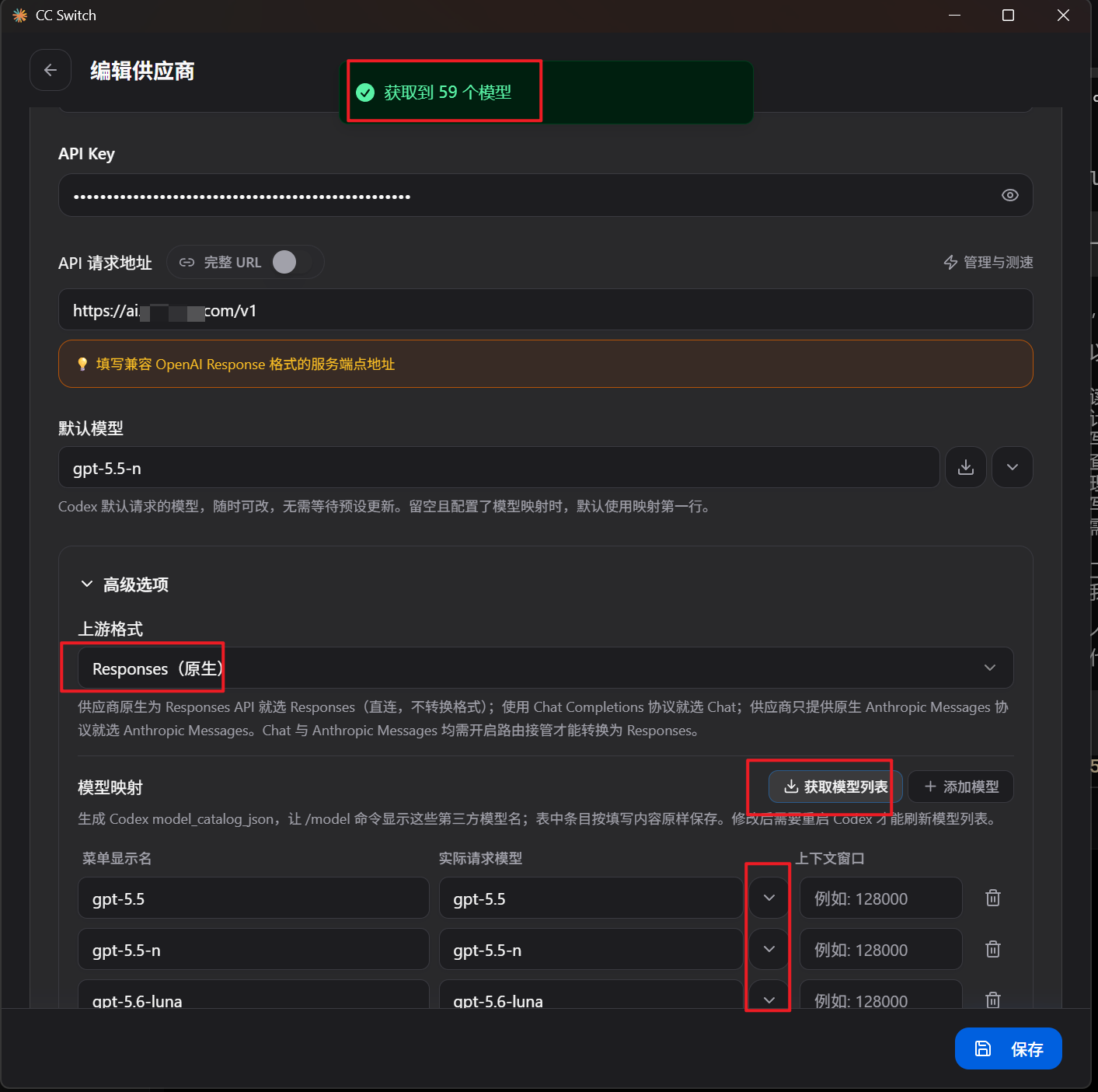
-
汎用モデル(DeepSeek, GLM など): 標準の
/v1/chat/completions(Chat) を使用できます。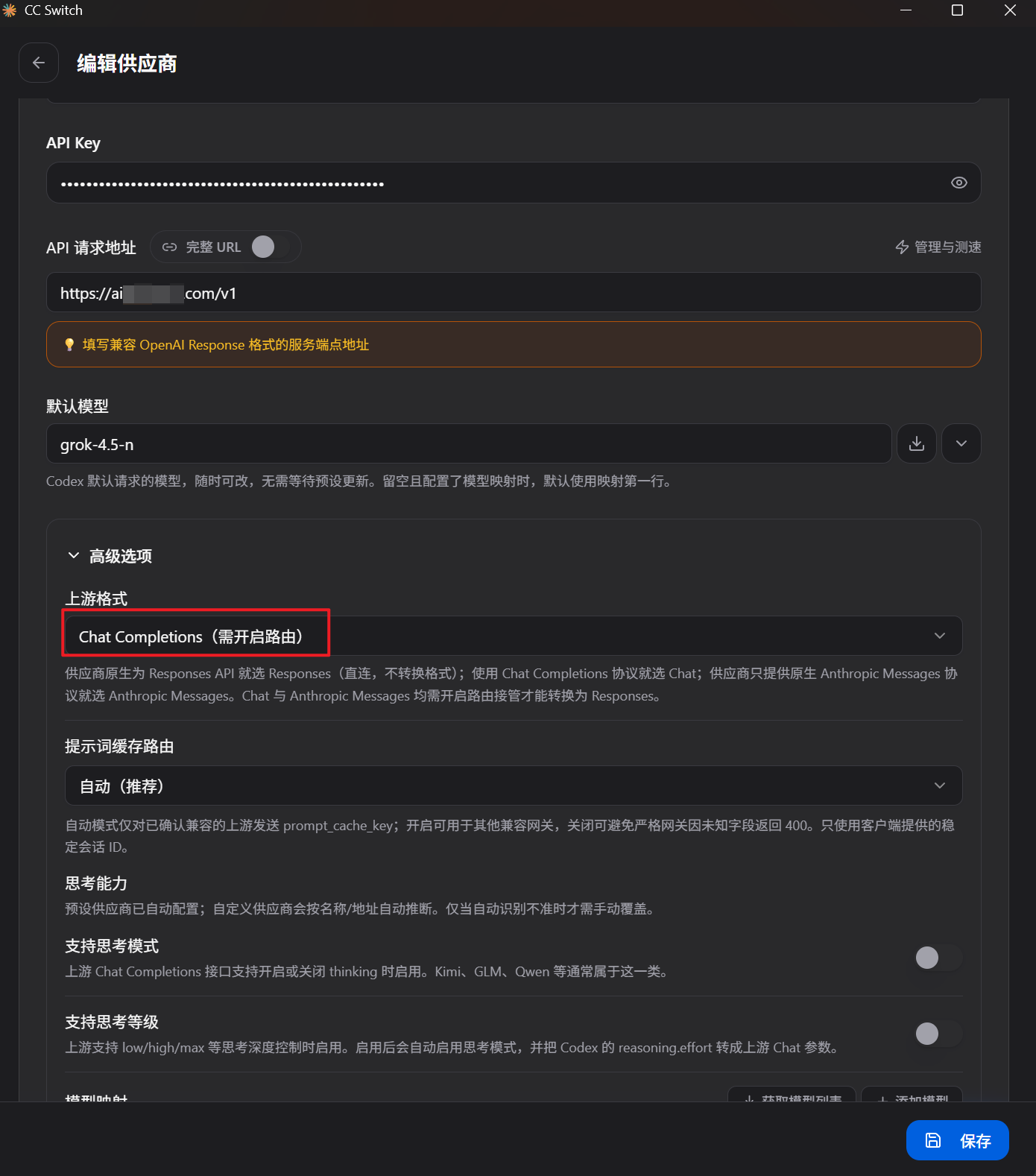
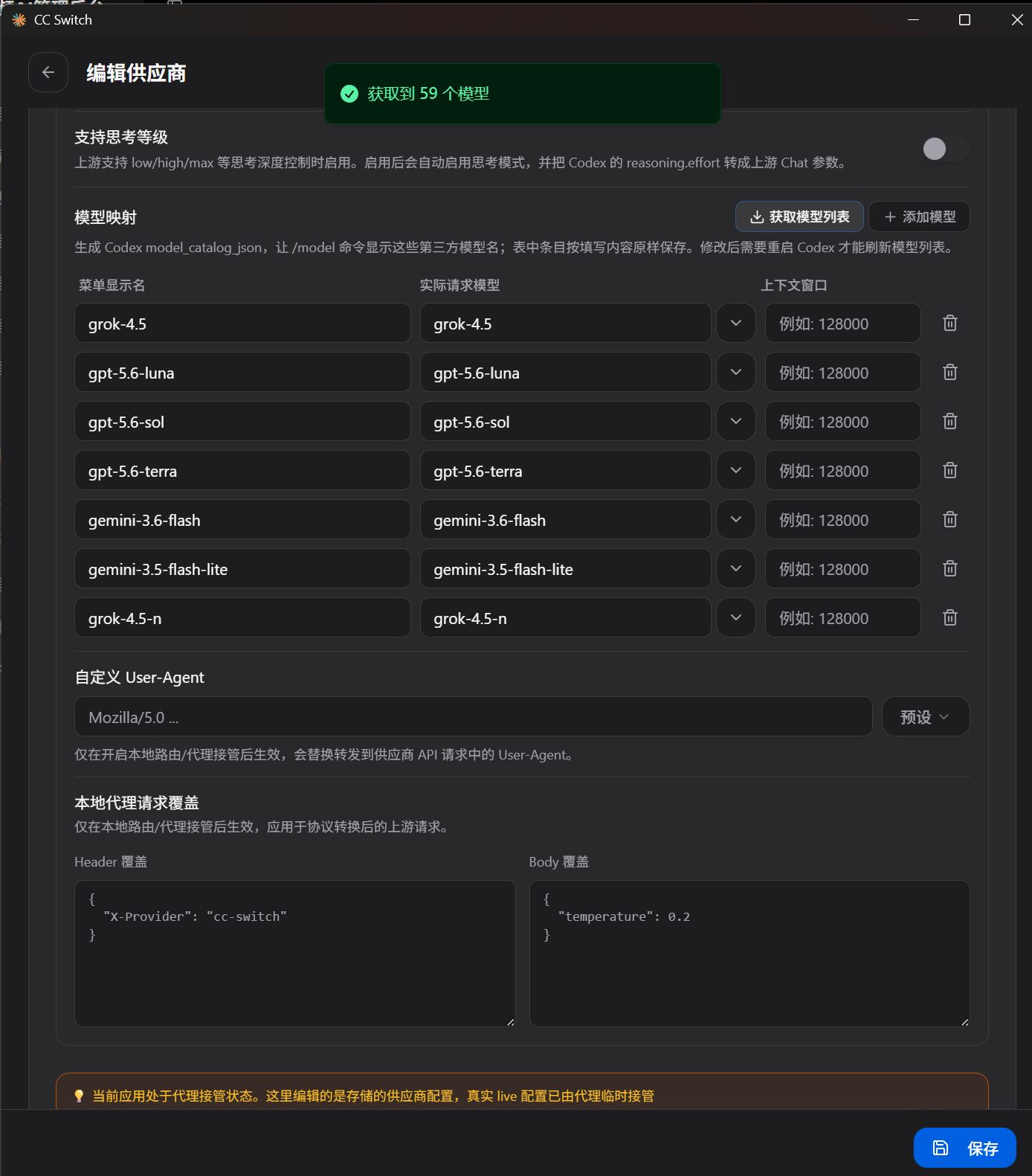
[!WARNING] Claude モデルに関する注意点: Codex クライアントは互換性のないパラメータを送信するため、Codex から Chat インターフェースで Claude モデルに接続することはできません。Claude 専用エンドポイントを使用してください。
2. 残高照会設定
({
  request: {
    url: "https://www.whatstoken.ai/user/balance",
    method: "GET",
    headers: {
      "Authorization": "Bearer {{apiKey}}"
    }
  },
  extractor: function (response) {
    if (response.success) {
      return {
        planName: "ユーザーアカウント残高",
        remaining: response.remain_balance,
        used: response.used_balance,
        total: (response.remain_balance + response.used_balance),
        unit: "USD"
      };
    }
    return {
      isValid: false,
      invalidMessage: response.message || "照会失敗"
    };
  }
})
3. よくある質問 (QA)
1. Agent クライアントでキャッシュ消費が高くなる理由
Codex や Claude Code などの Agent は、長い System Prompt とツール定義を送信します。文字数が少なくても初期プロンプトが大きいため、Prompt Token が消費されます。
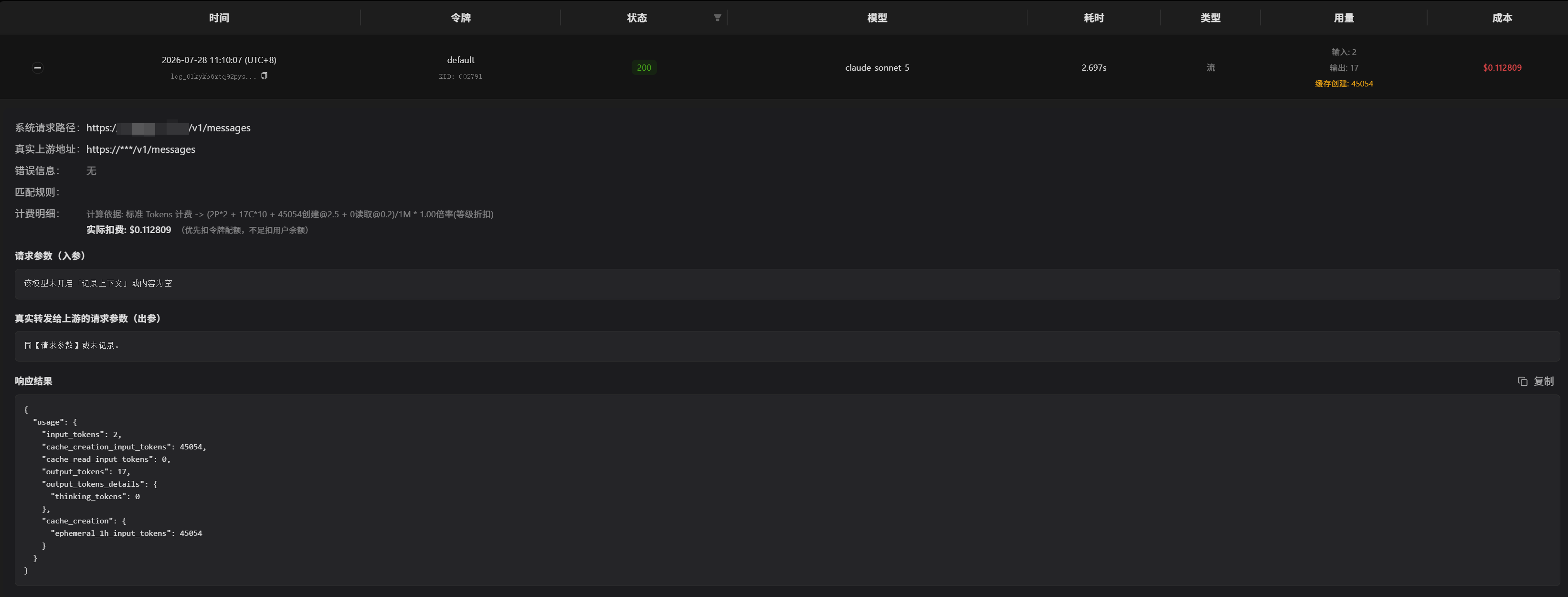
2. キャッシュヒット条件
コンテキストキャッシュは複数ターンの連続会話の後に適用されます。1 ターンの独立リクエストではヒットしません。